Heikin-Ashi Bar Coloring
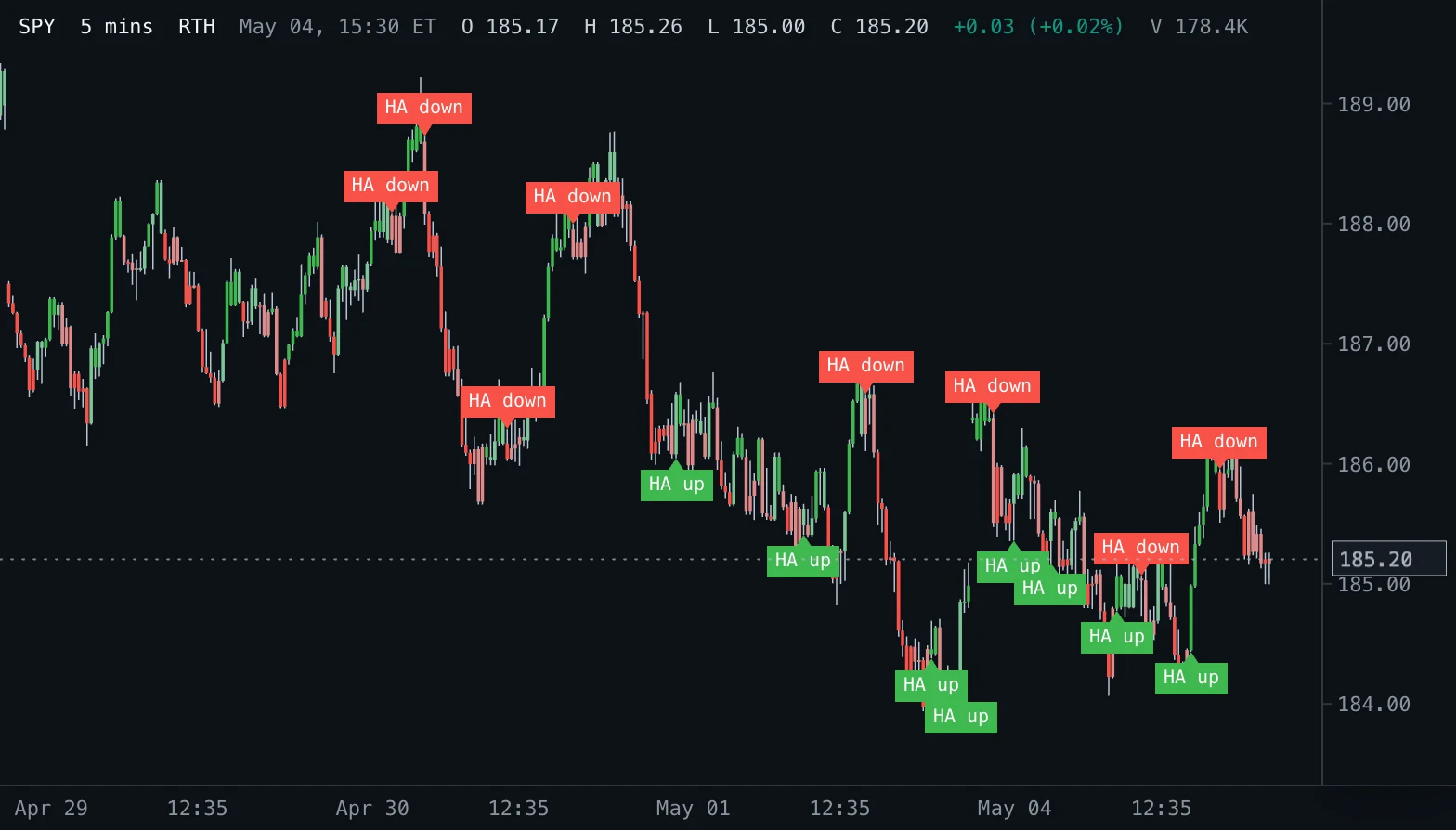
Colours the chart's candles by the Heikin-Ashi trend while they keep their true prices, marks the strong Heikin-Ashi bars without a counter shadow, and labels every turn.
- HA Colors
- Updates every tick
- heikin ashi
- candles
- bar color
- trend
- reversal
MIT-0: free to use, change and share, no attribution needed. What you build from it is yours.
Overview
Heikin-Ashi ("average bar" in Japanese) smooths candles: its close is the average of the bar's open, high, low and close, and its open the midpoint of the previous Heikin-Ashi open and close. This indicator keeps the chart's real candles, so every price stays true, and colours each one by its Heikin-Ashi bar: green while the Heikin-Ashi close is at or above its open, red below. A label marks each bar where the colour turns after a run of at least five bars.
How to read it
Runs of one colour show the trend the smoothing sees; a turn label marks where it changed. The strong colours (bright green and bright red) mark Heikin-Ashi bars without a counter shadow: an up bar whose open is its low, or a down bar whose open is its high. Series of them describe a strong advance or decline; pale bars and frequent turns show a trend losing strength or a range.
Settings and limitations
Strong bars uses the pale up and down colours for every bar when it is off. Turn labels switches the labels, and Turn after bars sets how long the run a turn ends must be (1 labels every turn; 5 by default keeps the short flickers of a range unlabelled); the chart shows the 8 most recent turns of each direction on screen. The four candle colours and the label colours are appearance settings.
Notes
Formulas (StockCharts ChartSchool, Heikin-Ashi): HA close = (O + H + L + C) / 4; HA open = (previous HA open + previous HA close) / 2, and (O + C) / 2 on the first bar; HA high = max(H, HA open, HA close); HA low = min(L, HA open, HA close). An HA bar with its close equal to its open counts as up. Because the HA open carries over from the first loaded bar, the colours of the first few bars depend on where the chart's history starts; the effect of the start halves with every bar. The chart keeps the 2,000 most recent labels of each direction.
Settings
Each setting appears in the indicator's settings panel in Spectral, next to a color setting for every output.
| Setting | Type | Default | Range or options | What it does |
|---|---|---|---|---|
| Strong bars | On / off | On | — | Use the strong colours for Heikin-Ashi bars without a lower shadow (up) or an upper shadow (down). |
| Turn labels | On / off | On | — | Label the bars where the Heikin-Ashi direction turns. |
| Turn after bars | Whole number | 5 | 1 – 50 | Label a turn only when it ends a run of at least this many Heikin-Ashi bars of the other colour. |
What it draws
Text labels
- Turns uppin label · below
#3FB950 - Turns downpin label · above
#F85149
Candle colorings
- Heikin-Ashi candlescandles colored per bar from Heikin-Ashi (4 colors)
#3FB950 #7EC699 #E08A8A #F85149
Source
Save it as heikin-ashi-colors.js and add it with Indicators → Custom indicators → Add file…. The format is explained in the custom indicators guide.
// Copyright (c) 2026 Spectral
// SPDX-License-Identifier: MIT-0
// Free to use, copy, modify and share: https://spectral.trade/docs/custom-indicators/LICENSE.txt
/** @type {import('./spectral-indicator').IndicatorV3} */
export default {
  schemaVersion: 3,
  id: 'heikin-ashi-colors',
  name: 'Heikin-Ashi Bar Coloring',
  shortName: 'HA Colors',
  version: '1.0.0',
  author: 'Spectral',
  description: 'Colours the chart\'s candles by the Heikin-Ashi trend while they keep their true prices, marks the strong Heikin-Ashi bars without a counter shadow, and labels every turn.',
  pane: 'price',
  live: { lookback: 0 },
  inputs: {
    showStrong: { type: 'boolean', label: 'Strong bars', default: true, description: 'Use the strong colours for Heikin-Ashi bars without a lower shadow (up) or an upper shadow (down).' },
    showTurns: { type: 'boolean', label: 'Turn labels', default: true, description: 'Label the bars where the Heikin-Ashi direction turns.' },
    minRun: { type: 'integer', label: 'Turn after bars', default: 5, min: 1, max: 50, description: 'Label a turn only when it ends a run of at least this many Heikin-Ashi bars of the other colour.' },
  },
  palettes: {
    ha: { label: 'Heikin-Ashi', colors: ['#3FB950', '#7EC699', '#E08A8A', '#F85149'] },
  },
  barColors: {
    candles: { label: 'Heikin-Ashi candles', palette: 'ha' },
  },
  labels: {
    upTurns: { label: 'Turns up', color: '#3FB950', style: 'pin', placement: 'below', textSize: 'small', hideBelowBarWidth: 1, maxVisible: 8 },
    downTurns: { label: 'Turns down', color: '#F85149', style: 'pin', placement: 'above', textSize: 'small', hideBelowBarWidth: 1, maxVisible: 8 },
  },
  docs: {
    overview: 'Heikin-Ashi ("average bar" in Japanese) smooths candles: its close is the average of the bar\'s open, high, low and close, and its open the midpoint of the previous Heikin-Ashi open and close. This indicator keeps the chart\'s real candles, so every price stays true, and colours each one by its Heikin-Ashi bar: green while the Heikin-Ashi close is at or above its open, red below. A label marks each bar where the colour turns after a run of at least five bars.',
    howToRead: 'Runs of one colour show the trend the smoothing sees; a turn label marks where it changed. The strong colours (bright green and bright red) mark Heikin-Ashi bars without a counter shadow: an up bar whose open is its low, or a down bar whose open is its high. Series of them describe a strong advance or decline; pale bars and frequent turns show a trend losing strength or a range.',
    settings: 'Strong bars uses the pale up and down colours for every bar when it is off. Turn labels switches the labels, and Turn after bars sets how long the run a turn ends must be (1 labels every turn; 5 by default keeps the short flickers of a range unlabelled); the chart shows the 8 most recent turns of each direction on screen. The four candle colours and the label colours are appearance settings.',
    notes: 'Formulas (StockCharts ChartSchool, Heikin-Ashi): HA close = (O + H + L + C) / 4; HA open = (previous HA open + previous HA close) / 2, and (O + C) / 2 on the first bar; HA high = max(H, HA open, HA close); HA low = min(L, HA open, HA close). An HA bar with its close equal to its open counts as up. Because the HA open carries over from the first loaded bar, the colours of the first few bars depend on where the chart\'s history starts; the effect of the start halves with every bar. The chart keeps the 2,000 most recent labels of each direction.',
  },
  calculate(ctx) {
    const { bars, inputs, ta } = ctx;
    // Heikin-Ashi open and close carry from bar to bar; `turn` marks a change of direction on that bar.
    const states = ta.scan(bars, null, (state, bar) => {
      const haClose = (bar.open + bar.high + bar.low + bar.close) / 4;
      const haOpen = state === null ? (bar.open + bar.close) / 2 : (state.open + state.close) / 2;
      const up = haClose >= haOpen;
      const strong = up ? bar.low >= haOpen : bar.high <= haOpen;
      const turn = state !== null && state.up !== up;
      // `run` counts the bars of the current colour; `ended` is the length of the run a turn ends.
      return { open: haOpen, close: haClose, up, strong, turn, ended: turn ? state.run : 0, run: turn || state === null ? 1 : state.run + 1 };
    });
    const candles = states.map((state) => (state.up ? (inputs.showStrong && state.strong ? 0 : 1) : (inputs.showStrong && state.strong ? 3 : 2)));
    const upTurns = [];
    const downTurns = [];
    if (inputs.showTurns) {
      for (let index = 0; index < states.length; index += 1) {
        if (!states[index].turn || states[index].ended < inputs.minRun) continue;
        if (states[index].up) upTurns.push({ index, value: bars[index].low, text: 'HA up' });
        else downTurns.push({ index, value: bars[index].high, text: 'HA down' });
      }
    }
    return {
      barColors: { candles },
      labels: { upTurns: upTurns.slice(-2000), downTurns: downTurns.slice(-2000) },
    };
  },
};
Adapt it with an LLM
Paste this into your assistant and replace the second-to-last line with the change you want.
Start from this Spectral custom indicator: https://spectral.trade/indicators/heikin-ashi-colors.js
Format reference: https://spectral.trade/docs/custom-indicators.llm.md
Keep the file format and every rule of the reference; give the result a new id, name, shortName and version, and update docs and input descriptions to match.
Keep its live updates exact and fast (section "Fast live updates" of the reference): carry values from bar to bar only through ctx.ta, and raise live.lookback if the change reads further back; Spectral rejects a file whose live updates differ from a full recalculation or are too slow.
Change I want: <describe the change>
Answer with the complete file in one code block, ready to save as <id>.js.
Related indicators
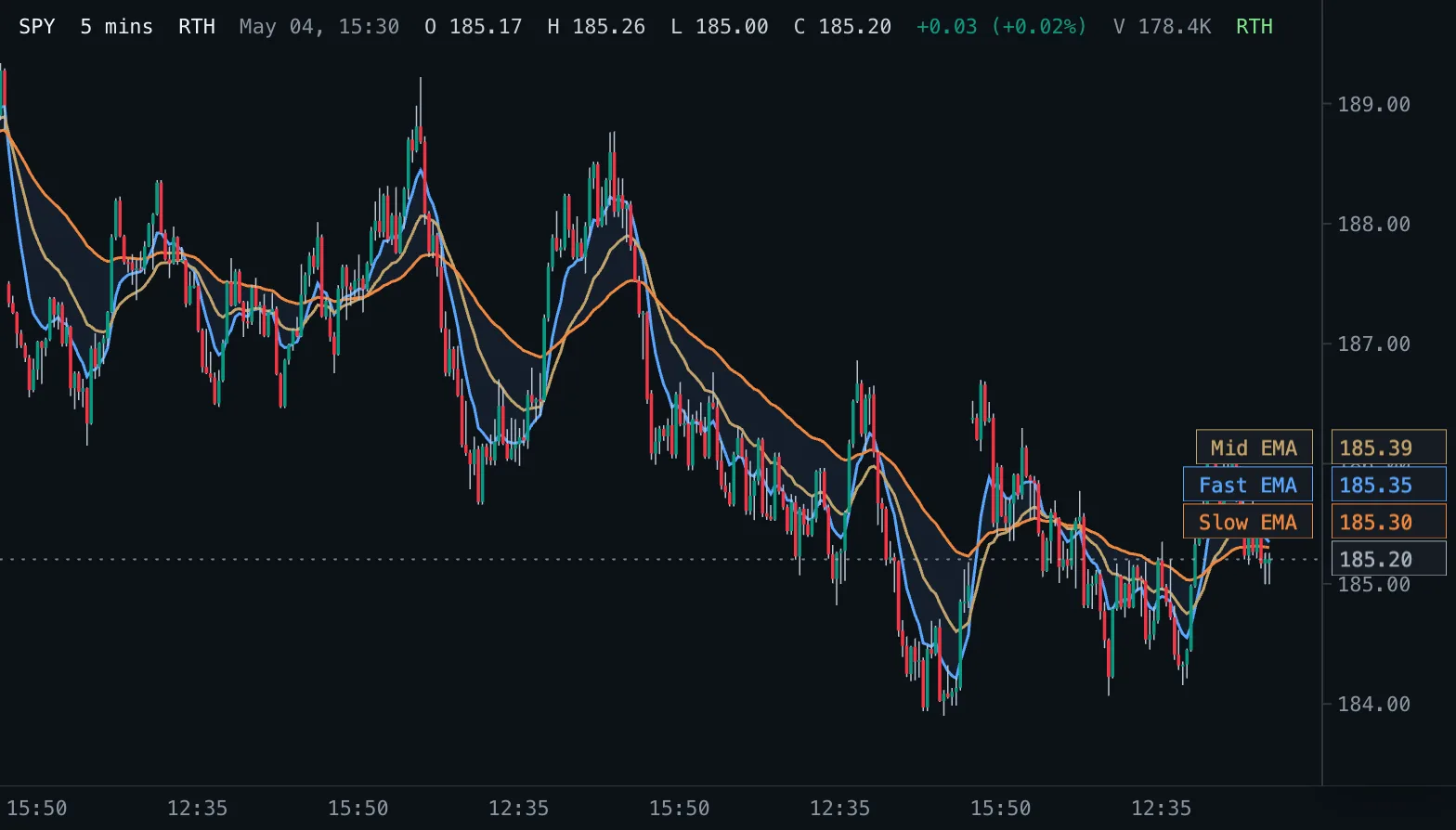
EMA Ribbon Ribbon
Three exponential moving averages on the price pane with a shaded band between the fastest and the slowest.
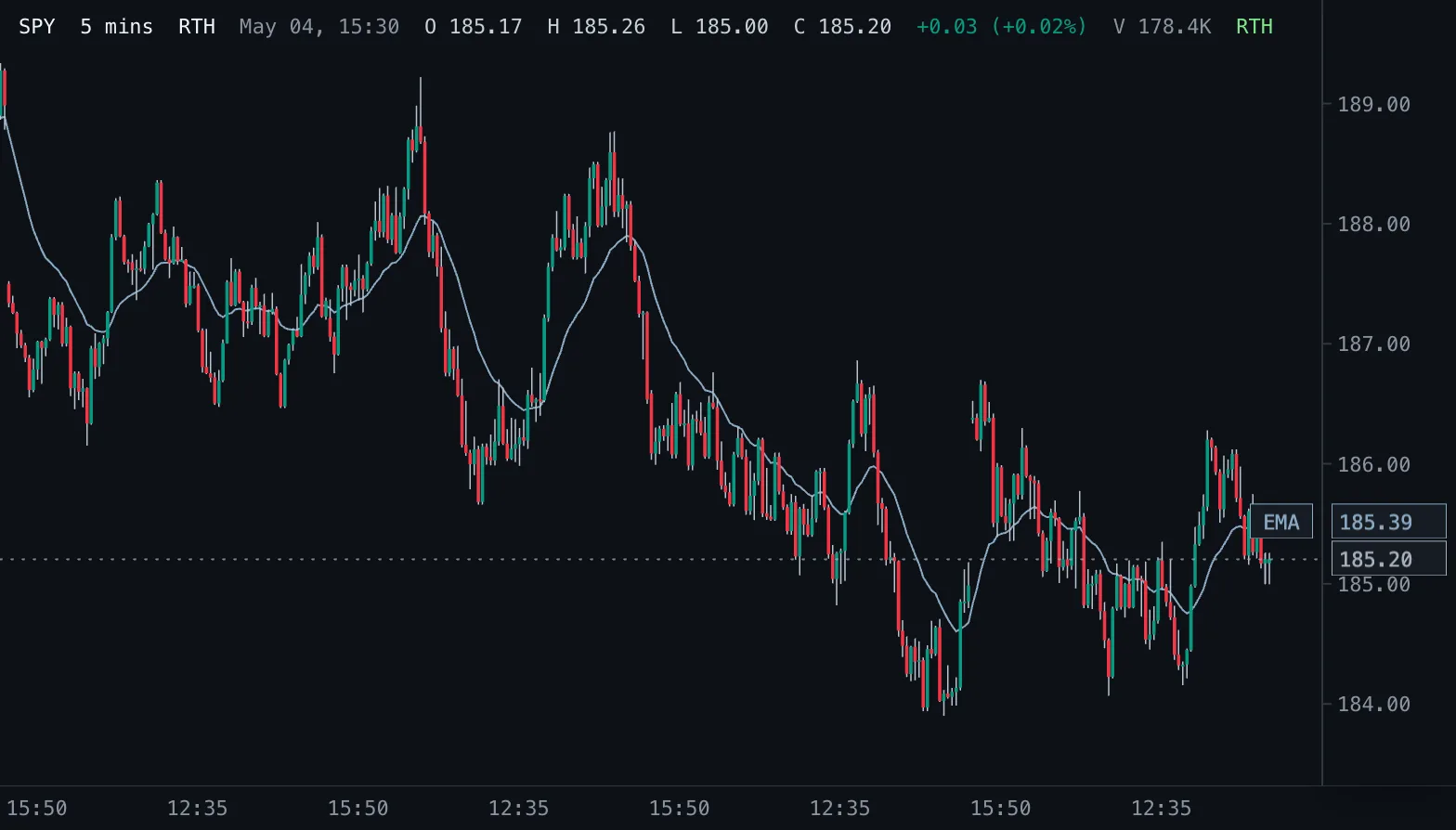
Exponential Moving Average EMA
Exponential moving average of the chosen price, weighting recent bars more, drawn on the candles.
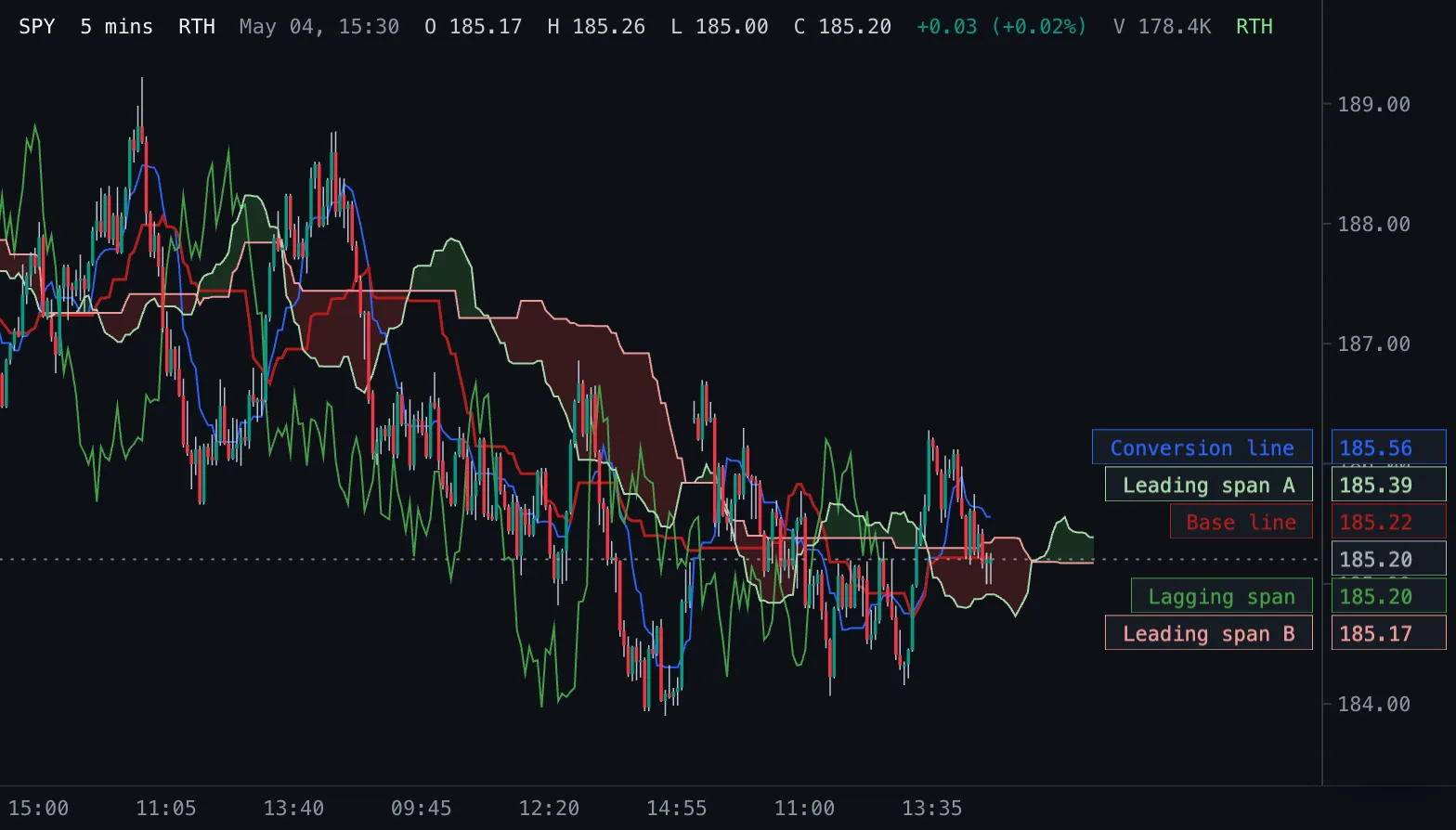
Ichimoku Cloud Ichimoku
Ichimoku Kinko Hyo: conversion and base lines, a cloud of two leading spans projected into the future, and the lagging close.