Opening Range Box
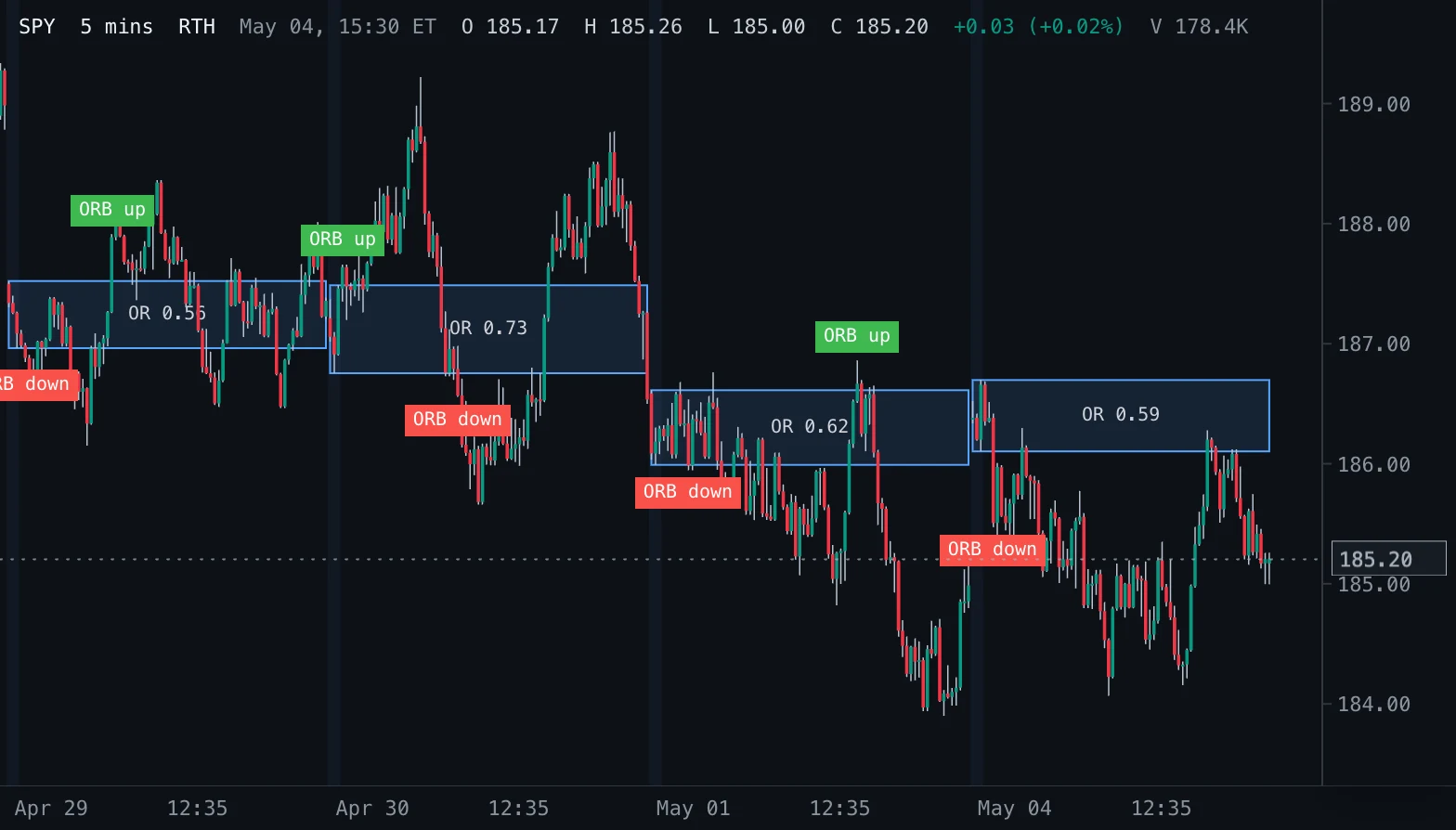
Boxes the high and low of the first minutes of every New York regular session, shades those bars, and labels the first close above or below the range.
- OR Box
- Updates at bar close
- opening range
- orb
- breakout
- intraday
- box
- session
MIT-0: free to use, change and share, no attribution needed. What you build from it is yours.
Overview
The opening range is the high and the low of the first minutes of the regular session, from the 09:30 New York open (Toby Crabel, Day Trading with Short Term Price Patterns and Opening Range Breakout, 1990). This indicator boxes that range on every session, from its first bar to the session's last regular-hours bar (to the right edge on the latest session), shades the bars that form it and labels the first bar that closes above the range high (ORB up) or below the range low (ORB down).
How to read it
The box is the area the first minutes agreed on. A close above it is the classic long breakout, a close below it the short one; the box edges then often act as support or resistance, and a breakout that falls back into the box is a failed breakout. A narrow range on a quiet open tends to break more cleanly than a wide one.
Settings and limitations
Range minutes sets the length of the range (15 by default; 5, 30 and 60 are common). Breakout labels and Shade range bars switch those parts; the colours and the box opacity are appearance settings. The range needs bars no longer than Range minutes: on longer intraday bars and on daily and longer charts nothing is drawn.
Notes
Rules (LuxAlgo library, Opening Range and ORB: the range is the highest high and lowest low of the bars inside the first minutes from the regular open, frozen when the window ends; a close beyond is the stricter breakout trigger): the range holds the regular-session bars that start before 09:30 plus Range minutes, so a bar size that does not divide it extends the range to that bar's end. A breakout needs the range to be complete and a regular-session close beyond it, at most one each way per session. The box text is the range height (two decimals, four for prices below 1). A session without a regular-hours bar inside the window (history that starts later in the day, or a gap in the data) gets no box; one missing some of those bars builds the range from the bars it has. Completed bars only (live: none): a box spans bars from the morning, outside the window a live tick recalculates, so the box, the shading and the labels update at each bar close.
Settings
Each setting appears in the indicator's settings panel in Spectral, next to a color setting for every output.
| Setting | Type | Default | Range or options | What it does |
|---|---|---|---|---|
| Range minutes | Whole number | 15 | 1 – 120 | Length of the opening range from the 09:30 open, in minutes (5, 15, 30 and 60 are common). |
| Breakout labels | On / off | On | — | Label the first close above the range high and the first close below the range low of each session. |
| Shade range bars | On / off | On | — | Shade the bars that make up the opening range. |
What it draws
Text labels
- Breakout upbox label · above
#3FB950 - Breakout downbox label · below
#F85149
Background shadings
- Range barsbackground per bar from Range (1 colors) · at 5% opacity
#58A6FF
Boxes
- Opening rangefilled at 12% opacity
#58A6FF
Source
Save it as opening-range-box.js and add it with Indicators → Custom indicators → Add file…. The format is explained in the custom indicators guide.
// Copyright (c) 2026 Spectral
// SPDX-License-Identifier: MIT-0
// Free to use, copy, modify and share: https://spectral.trade/docs/custom-indicators/LICENSE.txt
/** Spectral draws at most 2,000 boxes and labels per key: the most recent days win. */
const MAX_ITEMS = 2000;
const OPEN = 570;

/** @type {import('./spectral-indicator').IndicatorV3} */
export default {
  schemaVersion: 3,
  id: 'opening-range-box',
  name: 'Opening Range Box',
  shortName: 'OR Box',
  version: '1.0.0',
  author: 'Spectral',
  description: 'Boxes the high and low of the first minutes of every New York regular session, shades those bars, and labels the first close above or below the range.',
  pane: 'price',
  live: 'none',
  inputs: {
    minutes: { type: 'integer', label: 'Range minutes', default: 15, min: 1, max: 120, description: 'Length of the opening range from the 09:30 open, in minutes (5, 15, 30 and 60 are common).' },
    showBreakouts: { type: 'boolean', label: 'Breakout labels', default: true, description: 'Label the first close above the range high and the first close below the range low of each session.' },
    shadeRange: { type: 'boolean', label: 'Shade range bars', default: true, description: 'Shade the bars that make up the opening range.' },
  },
  palettes: {
    range: { label: 'Range', colors: ['#58A6FF'] },
  },
  boxes: {
    ranges: { label: 'Opening range', color: '#58A6FF', opacity: 0.12, textSize: 'small', hideBelowBarWidth: 2 },
  },
  labels: {
    breakUp: { label: 'Breakout up', color: '#3FB950', style: 'box', placement: 'above', textSize: 'small', hideBelowBarWidth: 1, maxVisible: 20 },
    breakDown: { label: 'Breakout down', color: '#F85149', style: 'box', placement: 'below', textSize: 'small', hideBelowBarWidth: 1, maxVisible: 20 },
  },
  bgColors: {
    rangeBars: { label: 'Range bars', palette: 'range', opacity: 0.05 },
  },
  docs: {
    overview: 'The opening range is the high and the low of the first minutes of the regular session, from the 09:30 New York open (Toby Crabel, Day Trading with Short Term Price Patterns and Opening Range Breakout, 1990). This indicator boxes that range on every session, from its first bar to the session\'s last regular-hours bar (to the right edge on the latest session), shades the bars that form it and labels the first bar that closes above the range high (ORB up) or below the range low (ORB down).',
    howToRead: 'The box is the area the first minutes agreed on. A close above it is the classic long breakout, a close below it the short one; the box edges then often act as support or resistance, and a breakout that falls back into the box is a failed breakout. A narrow range on a quiet open tends to break more cleanly than a wide one.',
    settings: 'Range minutes sets the length of the range (15 by default; 5, 30 and 60 are common). Breakout labels and Shade range bars switch those parts; the colours and the box opacity are appearance settings. The range needs bars no longer than Range minutes: on longer intraday bars and on daily and longer charts nothing is drawn.',
    notes: 'Rules (LuxAlgo library, Opening Range and ORB: the range is the highest high and lowest low of the bars inside the first minutes from the regular open, frozen when the window ends; a close beyond is the stricter breakout trigger): the range holds the regular-session bars that start before 09:30 plus Range minutes, so a bar size that does not divide it extends the range to that bar\'s end. A breakout needs the range to be complete and a regular-session close beyond it, at most one each way per session. The box text is the range height (two decimals, four for prices below 1). A session without a regular-hours bar inside the window (history that starts later in the day, or a gap in the data) gets no box; one missing some of those bars builds the range from the bars it has. Completed bars only (live: none): a box spans bars from the morning, outside the window a live tick recalculates, so the box, the shading and the labels update at each bar close.',
  },
  calculate(ctx) {
    const { bars, inputs, time, format } = ctx;
    const empty = { boxes: { ranges: [] }, labels: { breakUp: [], breakDown: [] }, bgColors: { rangeBars: bars.map(() => null) } };
    const [count, unit] = ctx.barSize.split(' ');
    const barMinutes = Number(count) * ({ secs: 1 / 60, min: 1, mins: 1, hour: 60, hours: 60 }[unit] ?? Infinity);
    if (!(barMinutes <= inputs.minutes)) return empty;
    const end = OPEN + inputs.minutes;
    const sessions = [];
    const rangeBars = bars.map(() => null);
    let session = null;
    for (let index = 0; index < bars.length; index += 1) {
      const bar = bars[index];
      if (!time.isRegularSession(bar)) continue;
      const info = time.ny(bar);
      if (session === null || session.date !== info.dateKey) {
        session = { date: info.dateKey, first: -1, high: -Infinity, low: Infinity, complete: false, last: index, up: -1, down: -1 };
        sessions.push(session);
      }
      session.last = index;
      if (info.minutes >= OPEN && info.minutes < end && !session.complete) {
        if (session.first < 0) session.first = index;
        session.high = Math.max(session.high, bar.high);
        session.low = Math.min(session.low, bar.low);
        if (inputs.shadeRange) rangeBars[index] = 0;
        continue;
      }
      if (session.first < 0 || info.minutes < end) continue;
      session.complete = true;
      if (session.up < 0 && bar.close > session.high) session.up = index;
      if (session.down < 0 && bar.close < session.low) session.down = index;
    }
    const ranges = [];
    const breakUp = [];
    const breakDown = [];
    sessions.forEach((day, position) => {
      if (day.first < 0) return;
      ranges.push({
        x1: day.first,
        y1: day.low,
        x2: position === sessions.length - 1 ? 'right-edge' : day.last,
        y2: day.high,
        text: `OR ${format.number(day.high - day.low, day.high < 1 ? 4 : 2)}`,
        tooltip: `OR ${inputs.minutes} min\nHigh ${format.price(day.high)}\nLow ${format.price(day.low)}`,
      });
      if (!inputs.showBreakouts) return;
      if (day.up >= 0) breakUp.push({ index: day.up, value: bars[day.up].high, text: 'ORB up' });
      if (day.down >= 0) breakDown.push({ index: day.down, value: bars[day.down].low, text: 'ORB down' });
    });
    return {
      boxes: { ranges: ranges.slice(-MAX_ITEMS) },
      labels: { breakUp: breakUp.slice(-MAX_ITEMS), breakDown: breakDown.slice(-MAX_ITEMS) },
      bgColors: { rangeBars },
    };
  },
};
Adapt it with an LLM
Paste this into your assistant and replace the second-to-last line with the change you want.
Start from this Spectral custom indicator: https://spectral.trade/indicators/opening-range-box.js
Format reference: https://spectral.trade/docs/custom-indicators.llm.md
Keep the file format and every rule of the reference; give the result a new id, name, shortName and version, and update docs and input descriptions to match.
Keep its live updates exact and fast (section "Fast live updates" of the reference): carry values from bar to bar only through ctx.ta, and raise live.lookback if the change reads further back; Spectral rejects a file whose live updates differ from a full recalculation or are too slow.
Change I want: <describe the change>
Answer with the complete file in one code block, ready to save as <id>.js.
Related indicators
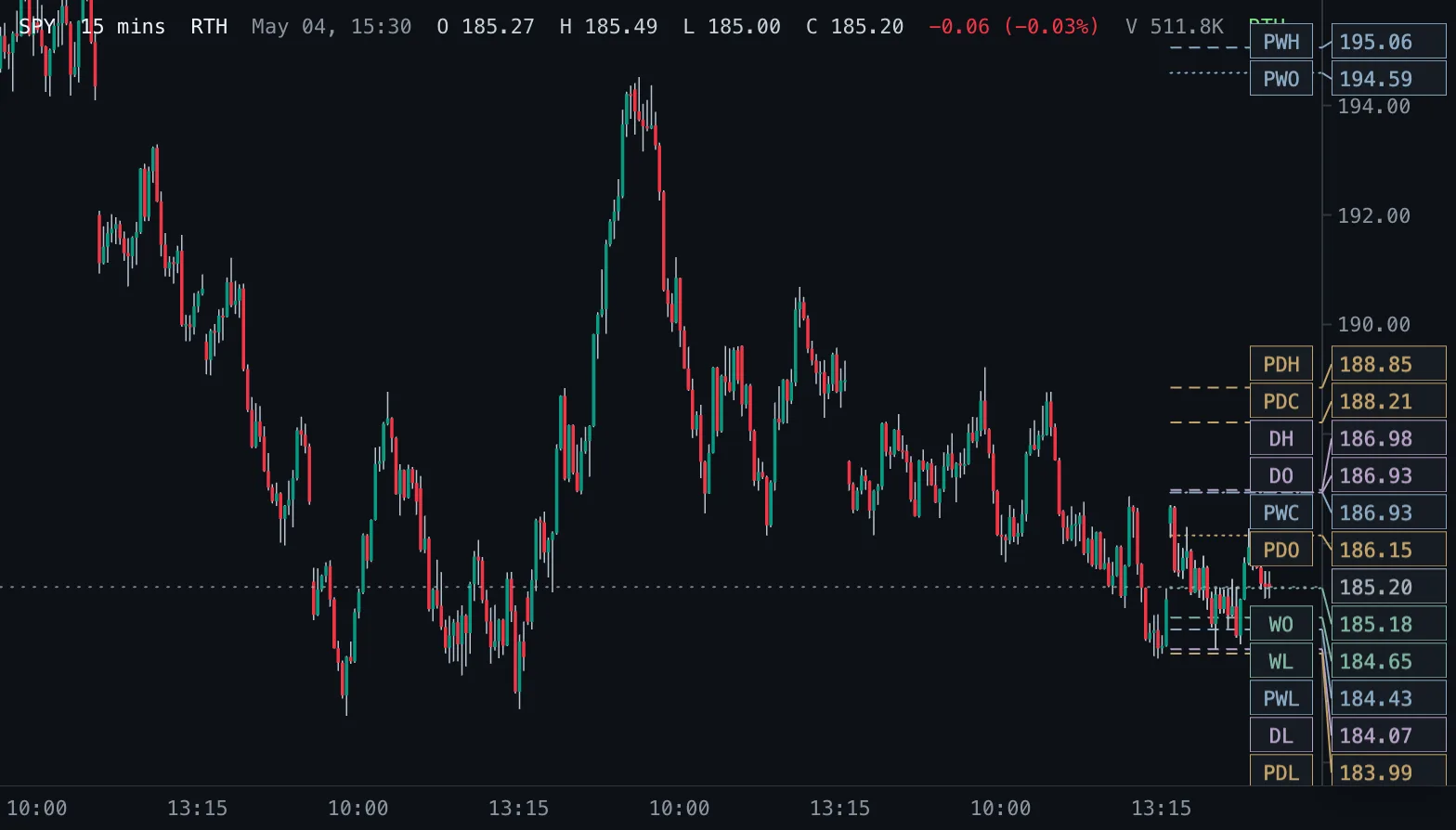
Daily & Weekly Levels D/W Levels
Previous and current day and week open, high, low and close as levels, read from real daily and weekly bars.
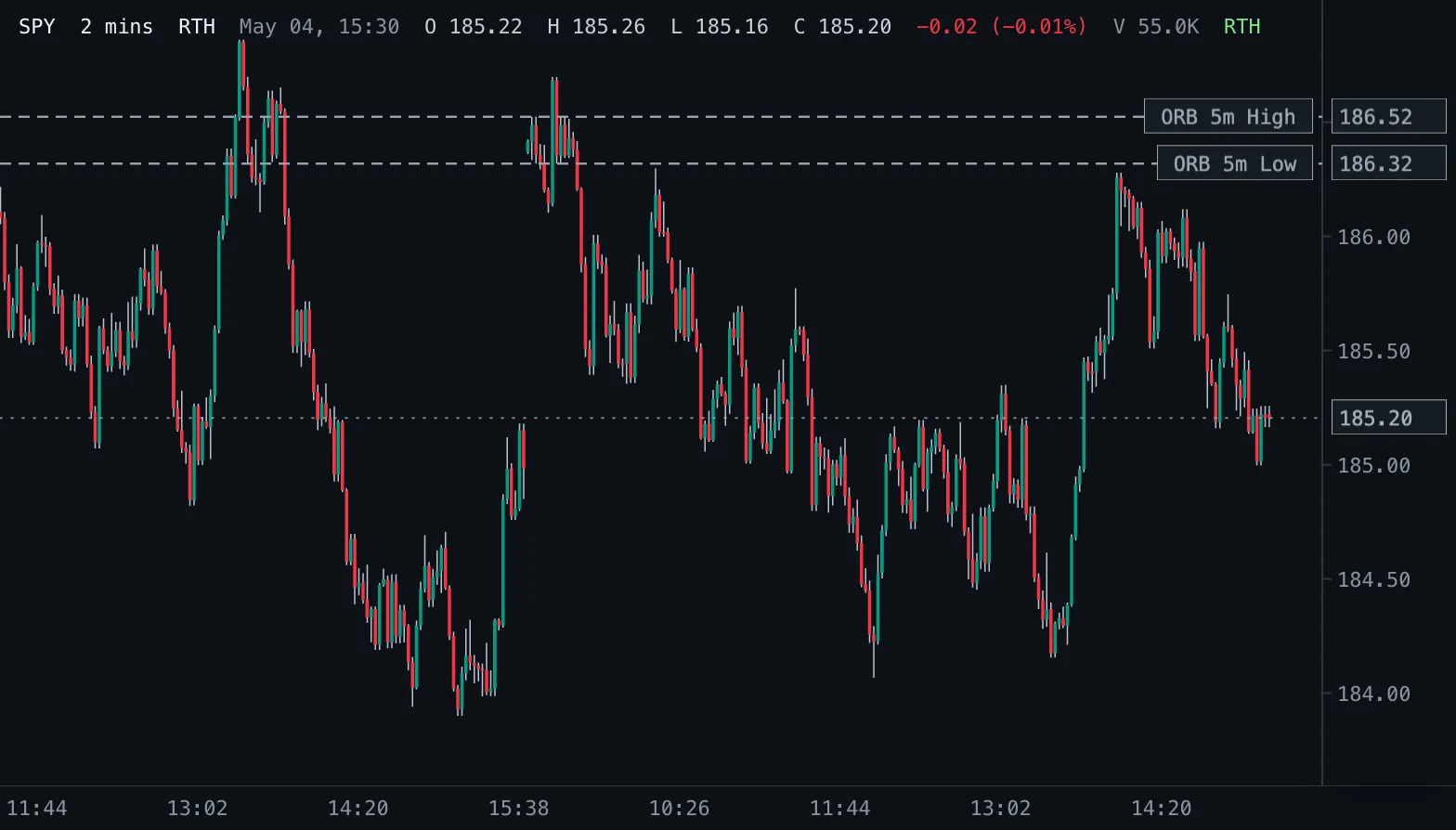
Opening Range Breakout ORB
Opening-range highs and lows for 1, 2, 5, 10, 15, 30 and 60 minutes after the 09:30 New York open.
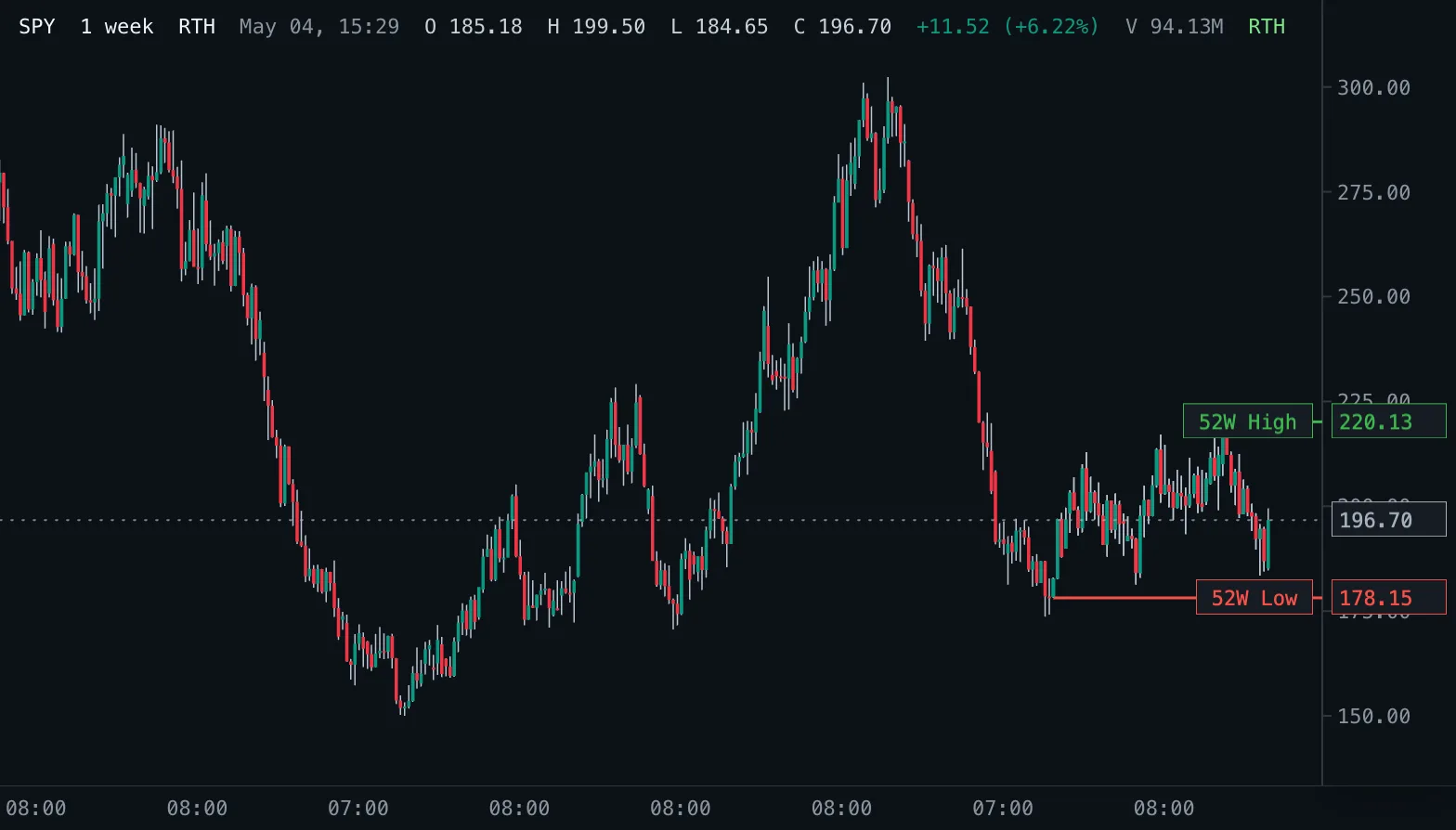
52-Week High/Low 52W H/L
The highest high and lowest low of the last 52 weeks as levels, read from real daily bars.