Session High/Low Boxes
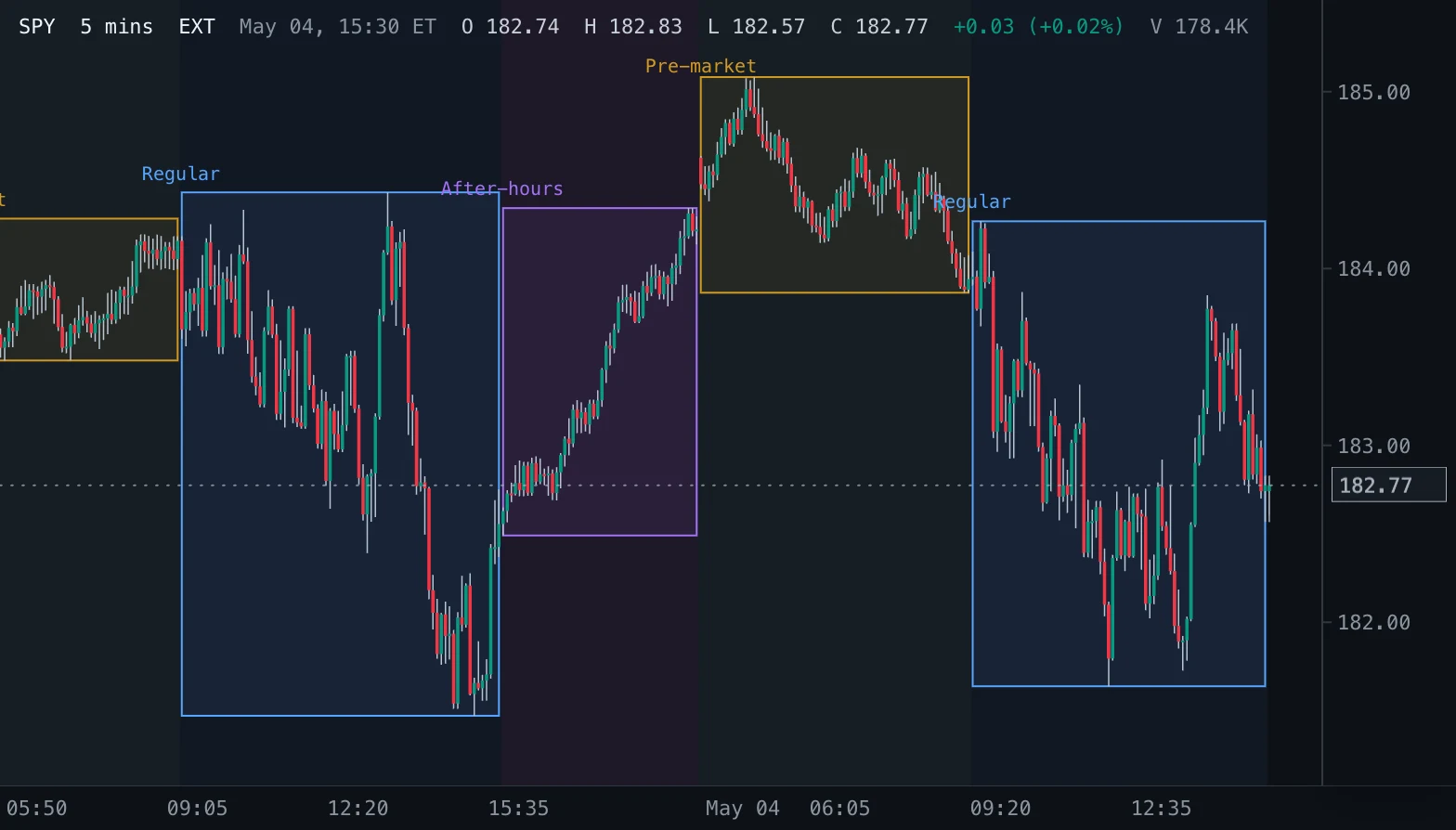
A box over the high and low of every New York pre-market, regular and after-hours session, the session's bars shaded in its colour and its name above the box.
- Sessions
- Updates at bar close
- sessions
- pre-market
- after-hours
- high
- low
- box
MIT-0: free to use, change and share, no attribution needed. What you build from it is yours.
Overview
US stocks trade in three sessions each New York day: pre-market from 04:00 to 09:30, the regular session from 09:30 to 16:00, and after-hours from the close to 20:00. This indicator boxes the high and low of each session from its first to its last bar, shades its bars in the session's colour and writes the session name above the box. Turn on extended hours on the chart to see the pre-market and after-hours boxes.
How to read it
The pre-market box shows where overnight news moved price before the open; a regular session that opens outside it has gapped beyond it. The regular box is the day's range on regular hours; after-hours reactions (earnings, news) show beside it. Session highs and lows are common reference levels for the next session.
Settings and limitations
Pre-market, Regular and After-hours switch each session; Session names and Shade sessions switch the names and the shading. The three session colours and the opacities are appearance settings. Works on intraday charts; daily and longer charts show nothing.
Notes
Sessions by the bar's New York time: pre-market 04:00-09:30, regular as Spectral's regular-session rule (09:30-16:00, 09:30-13:00 on NYSE early-close days), after-hours from the regular close to 20:00 (bars outside 04:00-20:00 belong to no session). A box runs from the session's first to its last bar and spans its highest high and lowest low; the tooltip lists both. Completed bars only (live: none): a box spans bars outside the window a live tick recalculates, so the current session's box grows at each bar close.
Settings
Each setting appears in the indicator's settings panel in Spectral, next to a color setting for every output.
| Setting | Type | Default | Range or options | What it does |
|---|---|---|---|---|
| Pre-market | On / off | On | — | Box the pre-market session, 04:00 to 09:30. |
| Regular | On / off | On | — | Box the regular session, 09:30 to 16:00 (13:00 on early-close days). |
| After-hours | On / off | On | — | Box the after-hours session, from the close to 20:00. |
| Session names | On / off | On | — | Write the session name above each box. |
| Shade sessions | On / off | On | — | Shade each session's bars in its colour. |
What it draws
Text labels
- Session namestext · above · colors from Session (3 colors)
#58A6FF #D29922 #A371F7
Background shadings
- Session shadingbackground per bar from Session (3 colors) · at 5% opacity
#D29922 #58A6FF #A371F7
Boxes
- Session rangefilled at 8% opacity · colors from Session (3 colors)
#58A6FF #D29922 #A371F7
Source
Save it as session-high-low-boxes.js and add it with Indicators → Custom indicators → Add file…. The format is explained in the custom indicators guide.
// Copyright (c) 2026 Spectral
// SPDX-License-Identifier: MIT-0
// Free to use, copy, modify and share: https://spectral.trade/docs/custom-indicators/LICENSE.txt
/** Spectral draws at most 2,000 boxes and labels per key: the most recent sessions win. */
const MAX_ITEMS = 2000;
const NAMES = ['Pre-market', 'Regular', 'After-hours'];

/** @type {import('./spectral-indicator').IndicatorV3} */
export default {
  schemaVersion: 3,
  id: 'session-high-low-boxes',
  name: 'Session High/Low Boxes',
  shortName: 'Sessions',
  version: '1.0.0',
  author: 'Spectral',
  description: 'A box over the high and low of every New York pre-market, regular and after-hours session, the session\'s bars shaded in its colour and its name above the box.',
  pane: 'price',
  live: 'none',
  inputs: {
    showPre: { type: 'boolean', label: 'Pre-market', default: true, description: 'Box the pre-market session, 04:00 to 09:30.' },
    showRegular: { type: 'boolean', label: 'Regular', default: true, description: 'Box the regular session, 09:30 to 16:00 (13:00 on early-close days).' },
    showPost: { type: 'boolean', label: 'After-hours', default: true, description: 'Box the after-hours session, from the close to 20:00.' },
    showNames: { type: 'boolean', label: 'Session names', default: true, description: 'Write the session name above each box.' },
    shade: { type: 'boolean', label: 'Shade sessions', default: true, description: 'Shade each session\'s bars in its colour.' },
  },
  palettes: {
    session: { label: 'Session', colors: ['#D29922', '#58A6FF', '#A371F7'] },
  },
  boxes: {
    sessions: { label: 'Session range', color: '#58A6FF', palette: 'session', opacity: 0.08, hideBelowBarWidth: 1 },
  },
  labels: {
    names: { label: 'Session names', color: '#58A6FF', palette: 'session', style: 'none', placement: 'above', textSize: 'small', hideBelowBarWidth: 1, maxVisible: 30 },
  },
  bgColors: {
    shading: { label: 'Session shading', palette: 'session', opacity: 0.05 },
  },
  docs: {
    overview: 'US stocks trade in three sessions each New York day: pre-market from 04:00 to 09:30, the regular session from 09:30 to 16:00, and after-hours from the close to 20:00. This indicator boxes the high and low of each session from its first to its last bar, shades its bars in the session\'s colour and writes the session name above the box. Turn on extended hours on the chart to see the pre-market and after-hours boxes.',
    howToRead: 'The pre-market box shows where overnight news moved price before the open; a regular session that opens outside it has gapped beyond it. The regular box is the day\'s range on regular hours; after-hours reactions (earnings, news) show beside it. Session highs and lows are common reference levels for the next session.',
    settings: 'Pre-market, Regular and After-hours switch each session; Session names and Shade sessions switch the names and the shading. The three session colours and the opacities are appearance settings. Works on intraday charts; daily and longer charts show nothing.',
    notes: 'Sessions by the bar\'s New York time: pre-market 04:00-09:30, regular as Spectral\'s regular-session rule (09:30-16:00, 09:30-13:00 on NYSE early-close days), after-hours from the regular close to 20:00 (bars outside 04:00-20:00 belong to no session). A box runs from the session\'s first to its last bar and spans its highest high and lowest low; the tooltip lists both. Completed bars only (live: none): a box spans bars outside the window a live tick recalculates, so the current session\'s box grows at each bar close.',
  },
  calculate(ctx) {
    const { bars, inputs, time, format } = ctx;
    const shown = [inputs.showPre, inputs.showRegular, inputs.showPost];
    const intraday = !/day|week|month/.test(ctx.barSize);
    const shading = bars.map(() => null);
    const sessions = [];
    let current = null;
    for (let index = 0; intraday && index < bars.length; index += 1) {
      const bar = bars[index];
      const info = time.ny(bar);
      // 0 pre-market, 1 regular, 2 after-hours, -1 none.
      const kind = time.isRegularSession(bar) ? 1 : info.minutes >= 240 && info.minutes < 570 ? 0 : info.minutes >= 570 && info.minutes < 1200 ? 2 : -1;
      if (kind < 0 || !shown[kind]) {
        current = null;
        continue;
      }
      if (inputs.shade) shading[index] = kind;
      if (current === null || current.kind !== kind || current.date !== info.dateKey) {
        current = { kind, date: info.dateKey, first: index, last: index, high: bar.high, low: bar.low };
        sessions.push(current);
        continue;
      }
      current.last = index;
      current.high = Math.max(current.high, bar.high);
      current.low = Math.min(current.low, bar.low);
    }
    const recent = sessions.slice(-MAX_ITEMS);
    return {
      boxes: {
        sessions: recent.map((session) => ({
          x1: session.first, y1: session.low, x2: session.last, y2: session.high, palette: session.kind,
          tooltip: `${NAMES[session.kind]}\nHigh ${format.price(session.high)}\nLow ${format.price(session.low)}`,
        })),
      },
      labels: {
        names: inputs.showNames ? recent.map((session) => ({ index: session.first, value: session.high, text: NAMES[session.kind], palette: session.kind })) : [],
      },
      bgColors: { shading },
    };
  },
};
Adapt it with an LLM
Paste this into your assistant and replace the second-to-last line with the change you want.
Start from this Spectral custom indicator: https://spectral.trade/indicators/session-high-low-boxes.js
Format reference: https://spectral.trade/docs/custom-indicators.llm.md
Keep the file format and every rule of the reference; give the result a new id, name, shortName and version, and update docs and input descriptions to match.
Keep its live updates exact and fast (section "Fast live updates" of the reference): carry values from bar to bar only through ctx.ta, and raise live.lookback if the change reads further back; Spectral rejects a file whose live updates differ from a full recalculation or are too slow.
Change I want: <describe the change>
Answer with the complete file in one code block, ready to save as <id>.js.
Related indicators
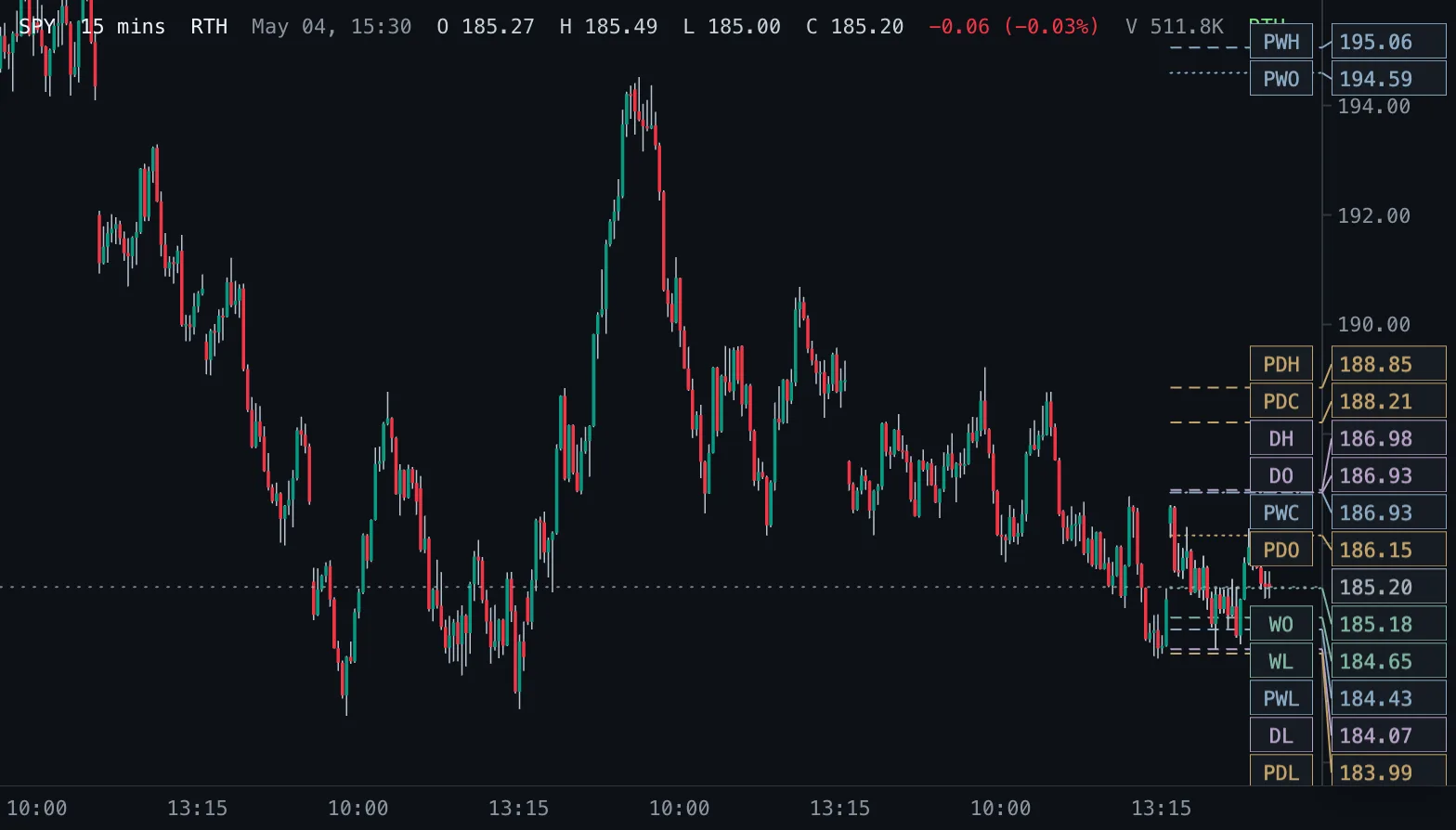
Daily & Weekly Levels D/W Levels
Previous and current day and week open, high, low and close as levels, read from real daily and weekly bars.
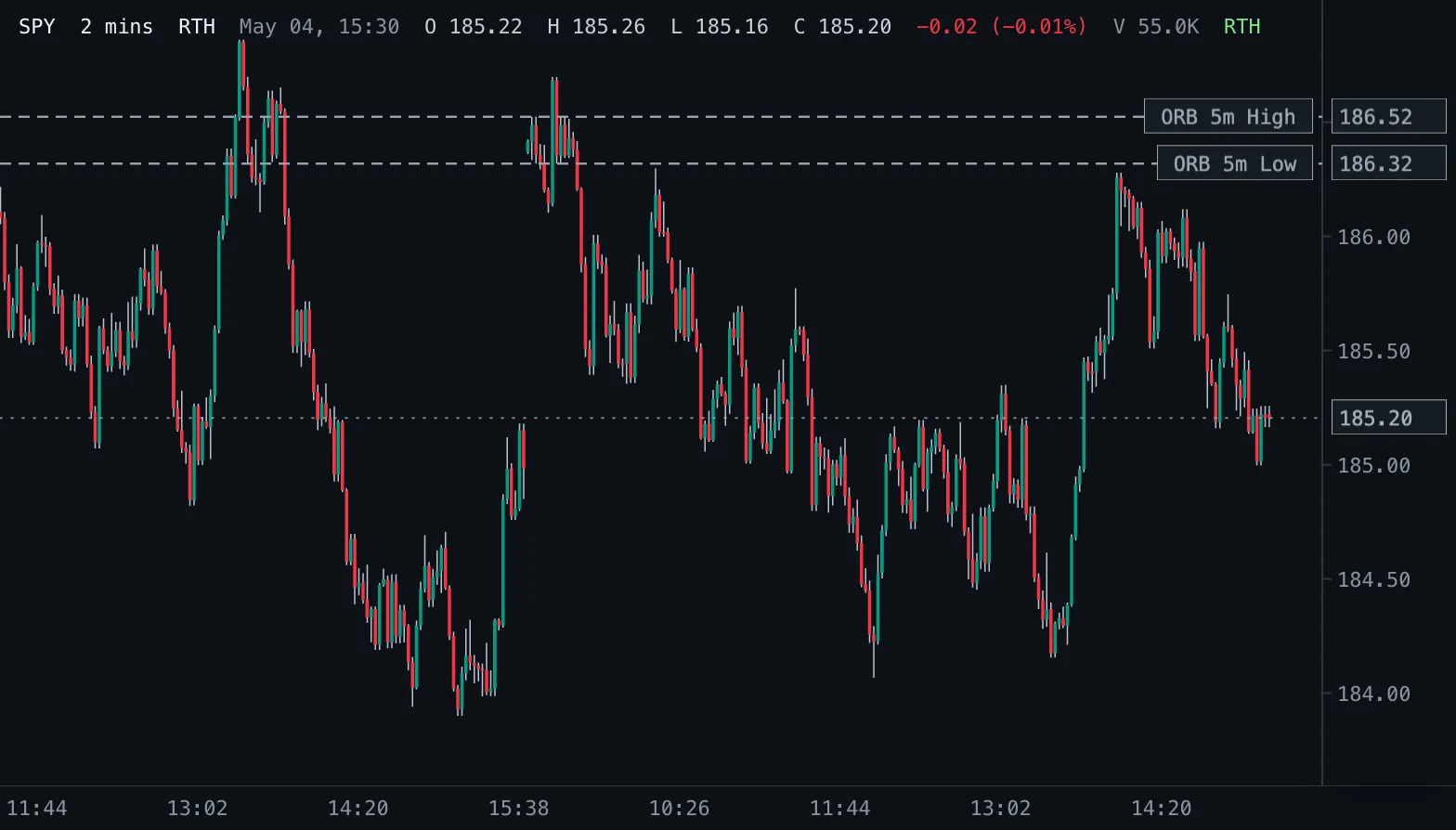
Opening Range Breakout ORB
Opening-range highs and lows for 1, 2, 5, 10, 15, 30 and 60 minutes after the 09:30 New York open.
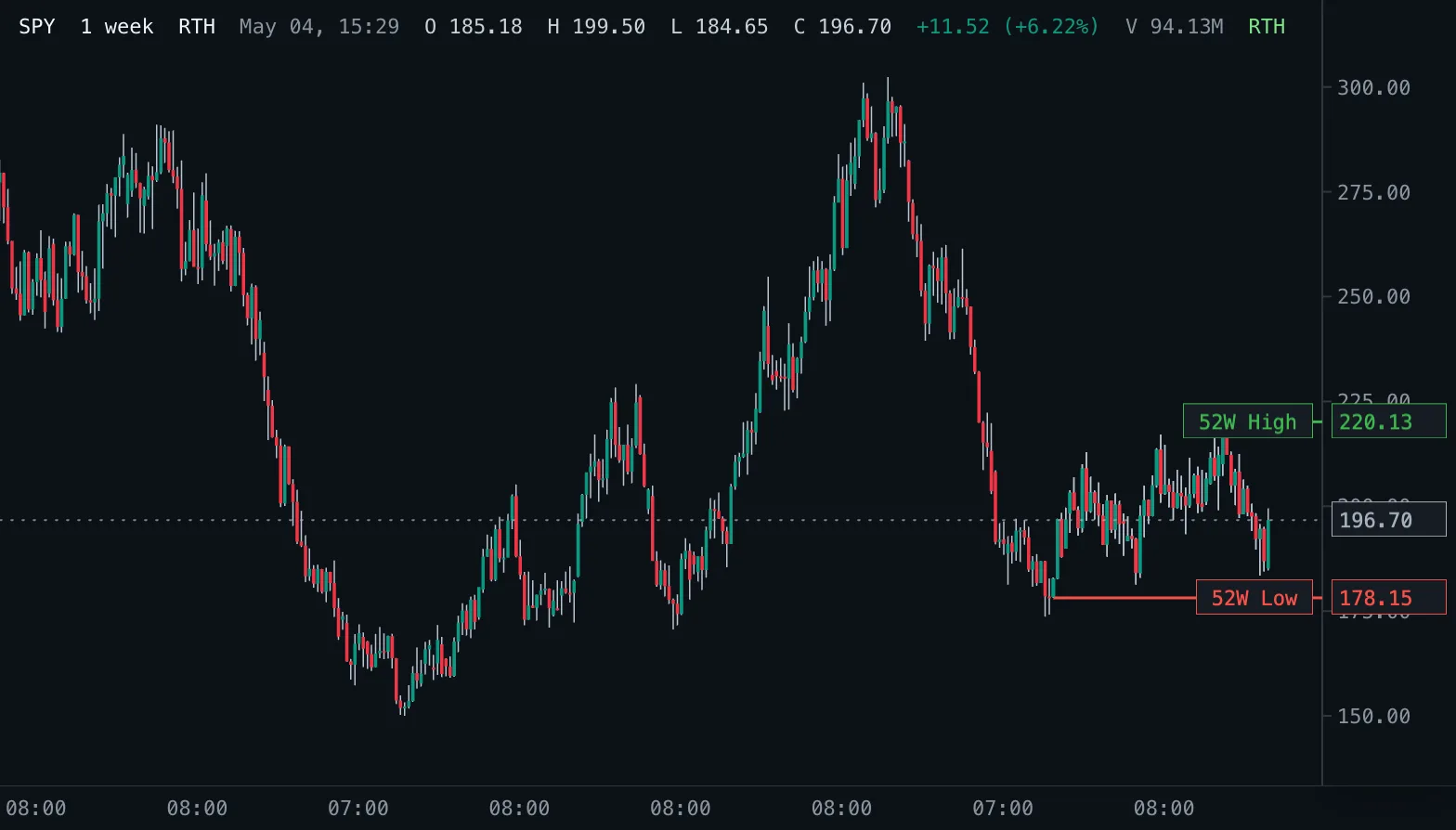
52-Week High/Low 52W H/L
The highest high and lowest low of the last 52 weeks as levels, read from real daily bars.