Execution history
Review every stock and options fill with exact timing, price, quantity, P&L, and commission.
A precise record of every fill.
Execution History strips the trade record down to the individual actions: when an order filled, what it filled at, how much was executed, and what it contributed.
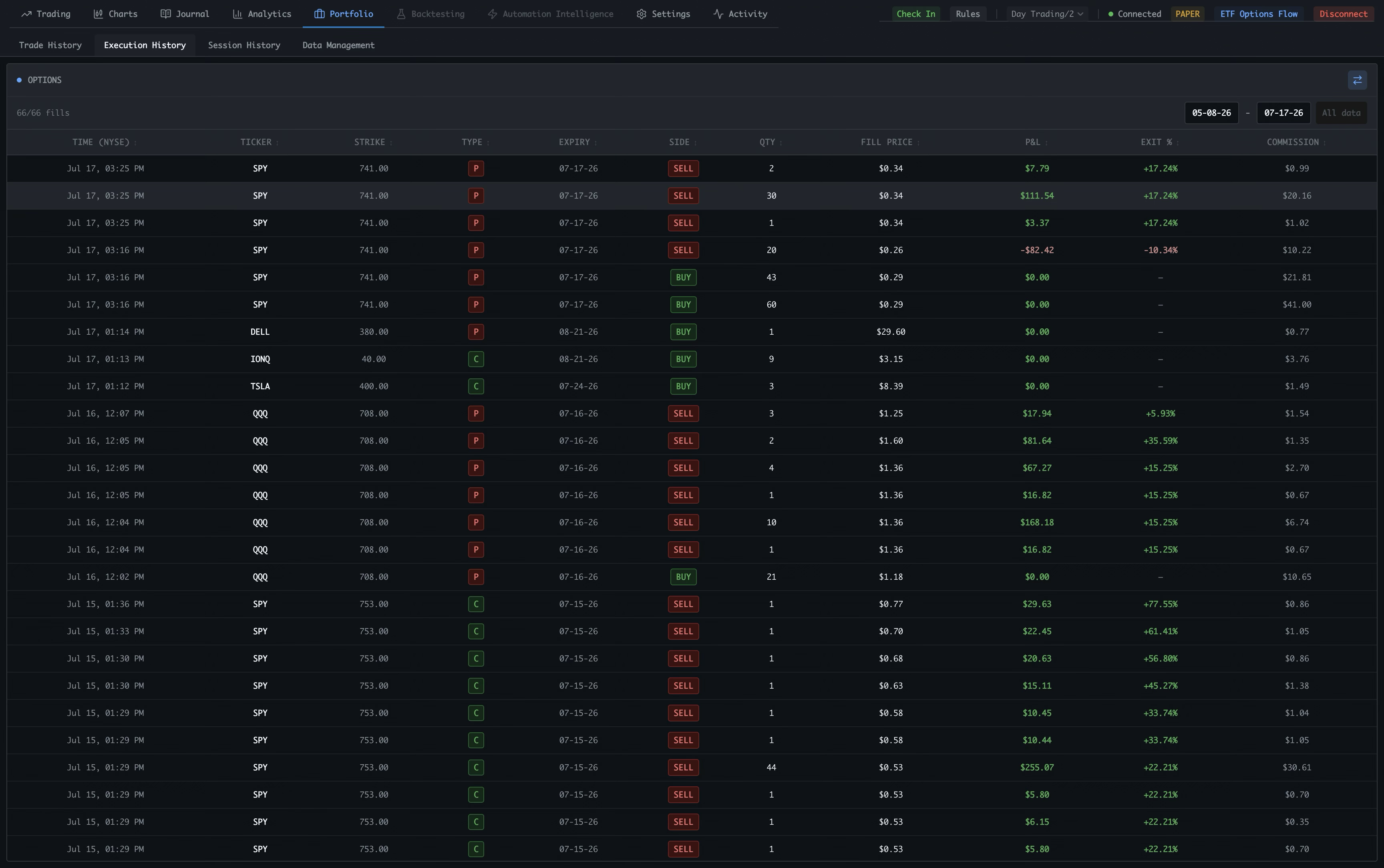
Switch to Execution History
Portfolio separates trade summaries from the underlying fills. This view is dedicated to the execution-level record.
Set the date range
Choose the period to review and use All data when you need the full available execution history.
Read the execution table
The table keeps time, ticker, strike, type, expiry, side, quantity, fill price, P&L, exit percentage, and commission in one row.
Follow the contract
Ticker, strike, type, and expiry identify exactly which stock or option contract each execution belongs to.
Separate buys from sells
The side field makes entries and exits easy to distinguish, while quantity and fill price show the size and level of each action.
Review result and cost
P&L, exit percentage, and commission show what each fill contributed after costs.
Read the record chronologically
Rows preserve the sequence of activity across symbols and sessions, making partial exits and multi-leg workflows easier to reconstruct.
Keep account state visible
The global header keeps the account, connection, paper or live mode, ETF Options Flow, and disconnect controls available during review.
Exact execution data stays searchable. Use the date range and full table to reconstruct how a position was opened, adjusted, and closed.